
Creating an Artist Website: A Simple, Step-by-Step Guide for 2026
In today’s art world, your website is your digital studio, your 24/7 gallery, and your professional home base. It’s where curators, collectors, and fellow artists will go to take you seriously. The thought of building one can feel daunting, especially if you’re not tech-savvy, but in 2026, it’s more accessible than ever. You don’t need to code or spend a fortune. You just need a clear plan. Follow this simple, step-by-step guide to create an artist website that works for you.
Step 1: Choose Your Foundation (The Platform)
This is your most important decision. You want something user-friendly, reliable, and with good visual templates.
- The Top Recommendations for Artists: Squarespace, Wix, or Format. These are “drag-and-drop” website builders designed for creatives. They offer beautiful, gallery-focused templates that are mobile-responsive (i.e. they look good on phones). They handle hosting, security, and updates for you.
- What to Avoid (For Now): Building from scratch or using overly complex systems like WordPress unless you have specific technical help. Your goal is to get a professional site live, not to become a web developer.
I set up a WordPress website in 2006, when I started blogging. Over the years, many so-called expert web designers have effectively conned me out of thousands of pounds. Thankfully, one of my sons is brilliant at this so once a professional firm had built my website, he taught me how to do updates. I have also run a Wix site for an art group, which was ok. It’s ideal if you don’t want to spend much money but not very flexible. Currently, I also run a Squarespace website for a group called Ginger Cactus Art.
It works well. I much prefer WordPress but that is probably because I have used it for so long.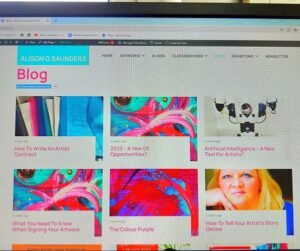
Step 2: Secure Your Domain Name
This is your website’s address (e.g., www.yournameart.com).
- The Golden Rule: Keep it simple. Ideally, yourfullname.com or yournameart.com. If your name is common (or you share it with someone famous), try adding “studio” or “art.” Check availability on your chosen platform’s website. They will usually guide you through purchasing it (typically £10-£15 per year).
- I use the G in Alison G Saunders to help me with this.
Step 3: Structure Your Essential Pages
A simple, clear site is better than a complex, confusing one. Start with these four essential pages in your main menu:
- HOME: A striking introduction. Feature one strong image of your work and a very brief, welcoming tag-line (e.g. “Contemporary paintings exploring connection and light”).
- PORTFOLIO/GALLERY: The heart of your site. Organise your work into Series (e.g. “Urban Echoes,” “Coastal Abstracts”). This looks far more professional than a single, endless scroll of images. Use the high-quality photographs you’ve taken of your work.
- ABOUT: This page houses your Artist Biography (written in the third person) and your Artist Statement (first person). Include a professional, friendly head-shot. This is where you build your story and connect with visitors.
- CONTACT: Make it easy for people to reach you. Use a simple contact form (to avoid spam) and consider also listing your professional email. If you sell directly, link to your shop here.
Step 4: Select and Customise Your Template
On your chosen platform, browse the templates labelled “Portfolio,” “Artist,” or “Gallery.” Pick one that feels clean and lets the artwork be the star. Then, customise boldly but simply.
- Colour Palette: The general advice is to use neutrals (white, black, grey, beige) for backgrounds. Let your art provide the colour. I use turquoise and white with pink lettering: I am an artist, after all!
- Fonts: Choose one easy-to-read font for headings and another for body text. Don’t use more than two.
- Navigation: Keep your menu simple and in the same place on every page.
Step 5: Populate with Powerful Content
Now, fill the structure with your best material.
- Images: Upload your professionally photographed artwork. Write clear, descriptive titles and captions for each image (e.g. “‘Sanctuary’, 2024, Oil on Canvas, 80×80 cm”).
- Text: Write clear, concise copy for your About page. Infuse it with your personality. Why do you create? What are your key themes? (see my Blog 44 on writing an Artist Statement & Bio for help).
- Blog/News Section: This is where you can link your existing blog! Having a “News” or “Journal” section where you post your blog content is fantastic for SEO (search engine optimisation, which is how to get your content appearing higher in searches) and shows an active, engaged practice.
Step 6: The Crucial Final Checks Before Launch
- Spellcheck Everything: Typos look unprofessional.
- Test on Your Phone: Over half of web traffic is mobile. Make sure your site looks perfect on a small screen.
- Check All Links: Ensure your contact form works, and all menu links go to the right place.
- Set Up a Professional Email: If your domain is yournameart.com, create an email like hello@yournameart.com. It looks infinitely more professional than a generic Gmail address.
Your website is a living project, not a one-time task. Launch it, even if it’s not “perfect.” You can always add an online shop later, integrate your Instagram feed, or start a newsletter sign-up. The most important step is to claim your corner of the internet and present your work to the world with pride.
NB I do not get paid to endorse any people or brands mentioned in my blogs. If you enjoyed this post, please like, share and follow me. Sharing, liking and following raises the algorithms in my favour.
Thank you for your support.